Starting a business from home is one of the most practical ways to launch in Houston. You skip commercial rent, cut your commute to a hallway and can test an idea before committing to a storefront. But a home-based business still has real-world questions to answer: what your neighborhood allows, which registrations and permits you need, how to keep work and home separate, where packages and clients should go, and how to look professional without an office.
This guide covers running a home based business in Houston from the ground up. It walks through property rules, registrations, workspace setup, logistics such as shipping, mail and printing, meeting clients, insurance and the habits that keep a home business organized as it grows. It is general information, so confirm specific requirements with the relevant agencies and your own advisors.

Check property rules before you start
Houston is well known for not having traditional zoning, but that does not mean anything goes. Many neighborhoods are governed by deed restrictions, and homeowner associations, condo associations and leases often have their own rules.
- Read your deed restrictions or HOA rules. Many limit commercial activity, signs, customer traffic, parking, deliveries or storage of equipment.
- Check your lease if you rent. Some prohibit running a business from the unit or require landlord permission.
- Consider the neighbors. Frequent customer visits, delivery trucks or noise can lead to complaints, even if your activity is technically allowed.
- Check city limits. Some greater Houston addresses fall in separate cities or unincorporated Harris County, where different rules apply.
Quiet, low-traffic businesses such as consulting, design, bookkeeping, online sales and writing typically raise the fewest concerns. If your plans involve regular customer visits, employees arriving each day or large deliveries, get clarity in writing before you invest.
Register and set up the business properly
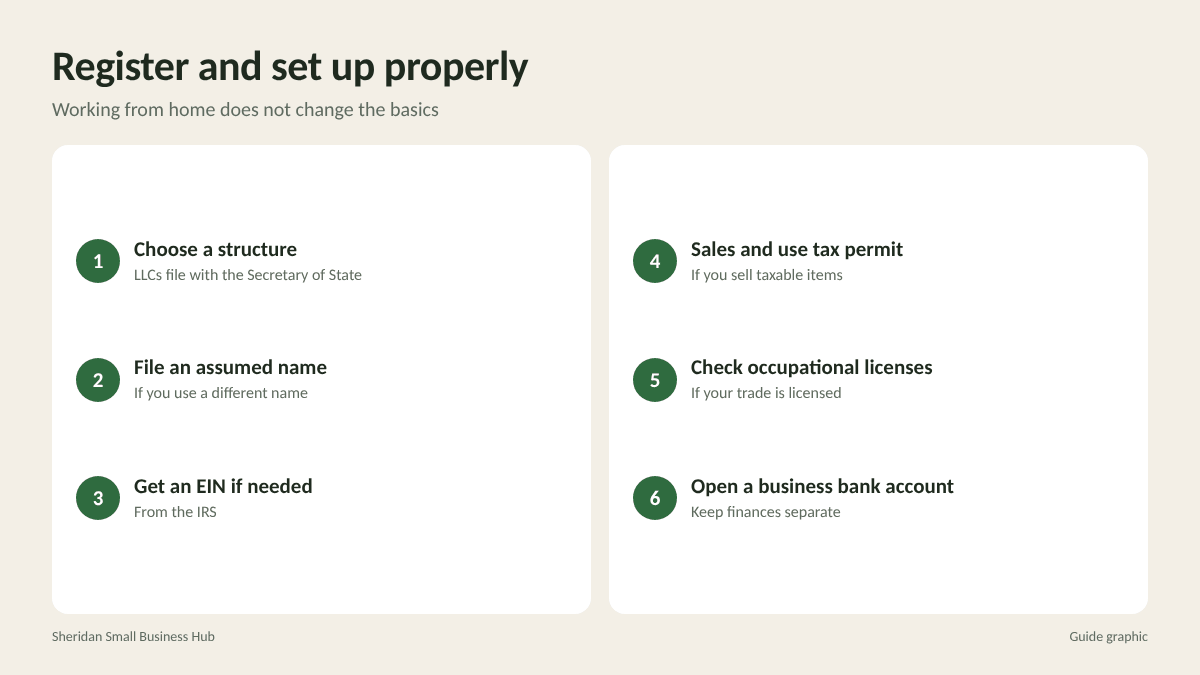
Working from home does not change the basic registrations a business may need:
- Choose a structure. Sole proprietorship, LLC or another entity. LLCs and corporations are formed with the Texas Secretary of State.
- File an assumed name if you operate under a name other than your own or your entity’s legal name.
- Get an EIN from the IRS if you need one, for example if you hire employees or form a multi-member LLC.
- Get a Texas sales and use tax permit from the Comptroller if you sell taxable goods or services.
- Check occupational licenses if your trade is licensed by a state agency.
- Open a separate business bank account to keep finances clean from day one.
Activities such as preparing food for sale have special rules. Texas has cottage food provisions for certain home-prepared foods, with limits on what you can sell and how; read the state’s current guidance before you start.
Create a workspace that works
A defined workspace improves focus and helps keep business records and equipment organized.
- Pick a dedicated space, ideally a room with a door, or at least a corner used only for work.
- Invest in the basics: a supportive chair, a desk at the right height, good lighting and reliable internet.
- Secure business records. Keep client files and financial papers in a locking cabinet, not on the kitchen counter.
- Separate devices or accounts for business when you can, especially if family members share computers.
- Plan for storage if you hold inventory: shelves, labeled bins and a clear packing area.
If you plan to claim a home office deduction, ask your accountant about the requirements, which generally involve regular and exclusive business use of the space.
Handle packages, mail and shipping
Logistics are where many home businesses feel the strain first.
Outgoing shipments
If you sell products, set up a small shipping station with a scale, label printer and a few box sizes. Then decide how packages leave the house:
- Scheduled carrier pickups are convenient, but mixing carriers means multiple pickups to coordinate.
- A daily or every-other-day drop-off run to a multi-carrier shipping store lets you hand off FedEx, UPS and USPS packages, and returns, in one trip with receipts.
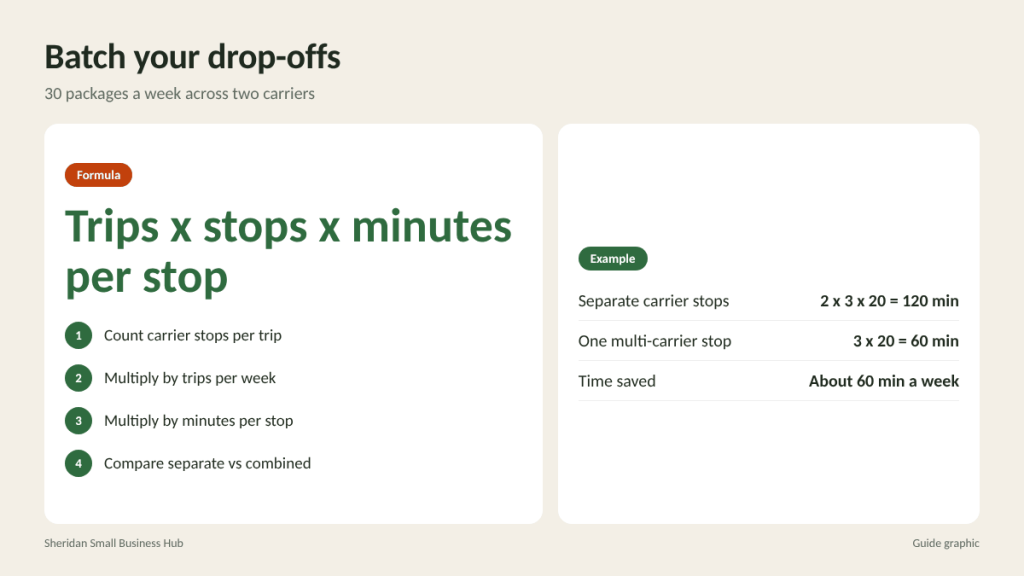
Worked example: if you ship 30 packages a week across two carriers, and each separate carrier stop takes 20 minutes, two trips three times a week cost 2 x 3 x 20 = 120 minutes. Combining into one multi-carrier stop three times a week takes 3 x 20 = 60 minutes, saving about an hour a week.
Incoming mail and your address
Many home-based owners prefer not to publish their home address on websites, invoices and business listings. Options include a PO Box for mail, though standard PO Boxes generally cannot receive FedEx or UPS deliveries, or a private mailbox at a Commercial Mail Receiving Agency, which provides a street address and accepts packages from all carriers. Opening a private mailbox requires USPS Form 1583 with two forms of ID. Keep in mind that Google Business Profile does not allow PO Boxes or virtual offices as a verified location.
Meet clients without a storefront
- Use video calls for most meetings.
- Meet in public spaces such as coffee shops, libraries with meeting rooms or coworking spaces with day passes.
- Visit clients at their offices or job sites when appropriate.
- If clients come to your home, check deed restrictions and HOA rules first, keep the space professional, and confirm your insurance covers visitors.
Look professional from home
- A business phone number, through a separate line or app, so you are not giving out your personal cell.
- A professional email address on your own domain.
- Business cards and printed materials with consistent branding.
- Clear hours and response times, so clients know when to expect a reply.
- Professional printing for proposals, presentations and marketing pieces your home printer cannot handle well.

Insurance and protection
Homeowners and renters insurance policies often limit or exclude business property and business liability. Talk to your agent about:
- Coverage for business equipment and inventory kept at home
- General liability if clients visit or you work at client sites
- Professional liability for advice-based services
- Commercial auto coverage if you use your vehicle heavily for business
Also prepare for Houston weather. Keep backups of business data off site or in the cloud, store important documents in waterproof containers, and plan where inventory goes if a storm threatens.
Build habits that keep the business running
- Set work hours and protect them from household interruptions.
- Batch errands: shipping, printing, supply runs and banking in one weekly or twice-weekly trip.
- Review finances monthly and keep receipts organized as you go.
- Know when to grow out of the house: frequent client visits, growing inventory or hiring staff may signal it is time for a separate space.
It also helps to keep a short weekly checklist taped near your desk: orders shipped and tracked, invoices sent, receipts captured, mail sorted, supplies checked and next week’s appointments confirmed. A home business has no front desk or office manager, so the checklist does that job for you. When the list starts taking more than an hour or two a week, consider handing off routine tasks, such as bookkeeping, packing or printing, so your time goes to the work that actually earns revenue.
Frequently asked questions
Can I run a business from my home in Houston?
Often yes, but check deed restrictions, HOA rules and your lease first, since Houston’s lack of traditional zoning does not override private restrictions.
Do I need a permit for a home-based business in Houston?
Many home businesses need only standard registrations, tax permits and any occupational licenses for their trade. Activities like food sales have special rules.
Should I use my home address for my business?
You can, but many owners prefer a separate mailing address for privacy. A private mailbox provides a street address that can receive packages from all carriers.
How do I ship products efficiently from home?
Set up a small shipping station, buy labels online, and batch packages into regular drop-offs at a multi-carrier location or schedule carrier pickups.
Shipping from your home office?
Batch your prepaid FedEx, UPS and USPS packages into one quick stop. The Postal Spot accepts package drop-offs in Houston, including Amazon returns, near the Galleria and Briargrove.