
Small businesses often assume they are too small to be a target. In reality, a small office can be an easier target than a large company: shared passwords, a file cabinet nobody bothers to lock, a laptop with no backup, customer forms tossed in the recycling and an inbox that anyone could trick with a convincing fake invoice. A single incident can mean lost money, angry customers, time spent cleaning up and, depending on the data involved, legal obligations to notify people.
This practical small business information security checklist covers the basics that protect most offices: securing accounts and devices, guarding against email scams, protecting paper records and mail, controlling who can access what, disposing of information safely and preparing for the day something goes wrong. None of it requires an IT department, just consistent habits.

Know what you are protecting
Start with a quick inventory of the sensitive information your business handles and where it lives. Common examples:
- Customer data: names, addresses, phone numbers, payment details, order histories.
- Employee data: Social Security numbers, tax forms, bank details for payroll, medical or benefits information.
- Financial data: bank statements, tax returns, account logins, credit card statements.
- Business information: pricing, contracts, supplier terms, passwords and plans.
For each type, note where it is stored: paper files, laptops, cloud apps, email, phones, USB drives. You cannot protect information you do not know you have, and this list will guide every step below.
Collect and keep less
The simplest way to reduce risk is to hold less sensitive information in the first place. Ask whether you really need each piece of data you collect. Do intake forms ask for a date of birth or Social Security number you never use? Are full card numbers written on paper order forms? Do old customer spreadsheets sit in email attachments years after a project ended? Every record you stop collecting, or securely delete once it is no longer needed, is one less thing that can be lost, stolen or exposed. Set a clear retention period for each type of record, with advice from your accountant or attorney, and stick to it.
Lock down accounts and passwords
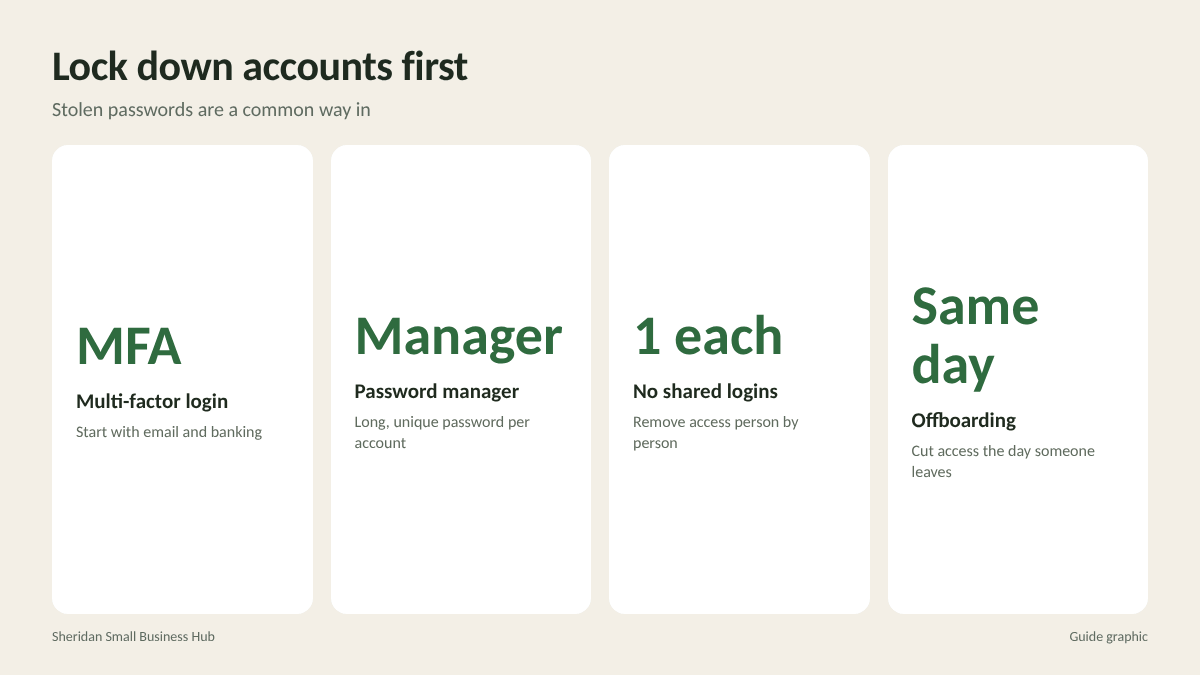
Stolen or guessed passwords are one of the most common ways attackers get in. Fix this first.
- Turn on multi-factor authentication (MFA) for email, banking, payroll, cloud storage, your website and any app with customer data. Start with email, because access to email often allows resets for everything else.
- Use a password manager so every account gets a long, unique password and nobody keeps passwords on sticky notes.
- Stop sharing logins. Give each person their own account where the software allows it, so you can remove access individually.
- Review admin accounts. Only people who truly need full control should have it.
- Remove access the same day someone leaves, including shared accounts, building codes and keys.
Protect computers, phones and networks
- Keep software updated. Turn on automatic updates for operating systems, browsers and apps. Many attacks target known flaws that updates already fix.
- Use security software and keep it running on every business computer.
- Encrypt laptops and phones so a lost device does not mean lost data. Most modern devices include encryption you only need to switch on.
- Set screens to lock automatically after a few minutes of inactivity.
- Secure your Wi-Fi with a strong password, change the router’s default admin password and offer customers a separate guest network.
- Back up important data automatically, with at least one copy stored separately from your main systems. Test restoring a file now and then.
Guard against email scams and fake invoices
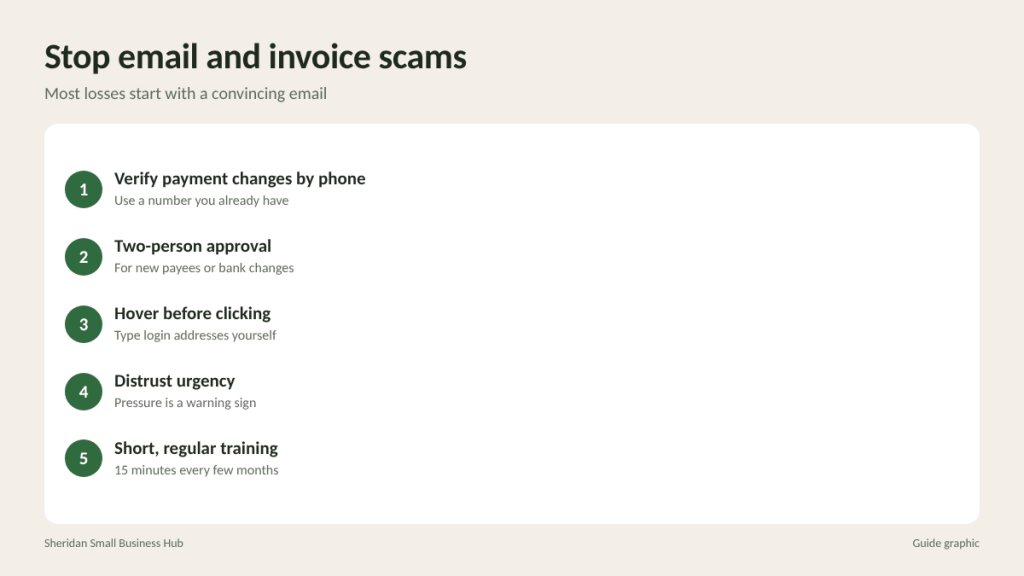
Many small business losses come not from sophisticated hacking but from a convincing email. Common tricks include fake invoices from a vendor you actually use, messages that appear to come from the owner asking for an urgent payment or gift cards, and links to fake login pages.
- Verify any payment change by phone, using a number you already have, not one in the email.
- Require two people to approve new payees or changes to bank details, if your team allows it.
- Hover before clicking to see where a link really goes, and log in to accounts by typing the address yourself.
- Be suspicious of urgency. Pressure to act immediately is a warning sign.
- Train everyone, briefly and regularly. A 15-minute conversation every few months with real examples works better than a long annual session.
Secure paper records and mail
Paper is often the forgotten half of information security. A filing cabinet full of employee records is just as sensitive as a database.
- Lock cabinets holding personnel, financial and customer files, and limit who has keys.
- Keep a clean desk policy so sensitive papers are not left out overnight or visible to visitors.
- Collect printouts immediately, or use a printer that holds jobs until the person arrives.
- Handle incoming mail carefully. Bank statements, tax notices and checks should go directly to the person responsible, not sit in an open tray.
- Do not leave outgoing checks or sensitive mail in an unsecured box.
- Store backup drives and archive boxes in a locked area.
Dispose of information safely
Throwing away information is one of the easiest ways to lose control of it. A complete disposal routine covers both paper and devices.
Paper
- Shred anything with personal, financial, health or account information. Recycling bins are not secure.
- Use a cross-cut or micro-cut shredder for daily volume, and a professional shredding service for large cleanouts.
- Keep a locked “to shred” bin so sensitive paper is never in an open wastebasket.
Devices
- Before you sell, donate or recycle computers, phones, copiers or external drives, wipe them properly or have the storage destroyed. Many office copiers and printers store copies of documents on an internal drive.
- Keep a simple record of what devices were disposed of, when and how.

Plan for when something goes wrong
Even careful businesses have incidents. A one-page response plan helps you act quickly instead of panicking.
- Contain it. Disconnect an infected computer from the network, change compromised passwords and lock affected accounts.
- Call your bank immediately if money was sent to a fraudster. Speed matters for any chance of recovery.
- Document what happened, including dates, times, emails and who was involved.
- Get help. Contact your IT provider, insurance carrier (if you have cyber coverage) and an attorney if customer or employee data may be involved.
- Understand your notification duties. Depending on the data and your state, you may be required to notify affected people or authorities. An attorney can tell you what applies.
- Fix the cause and update your checklist so it does not happen again.
Turn the checklist into a routine
Security is not a one-time project. Assign one person to own the checklist, even if it is you, and build a simple schedule:
- Weekly: Confirm backups ran and empty the locked shred bin.
- Monthly: Check that updates are installing and review who has access to key accounts.
- Quarterly: Run a short staff refresher on scams and review the paper filing area.
- Yearly: Revisit your data inventory, purge records past their retention period and update your response plan.
Frequently asked questions
What is the most important security step for a small business?
Turning on multi-factor authentication for email and financial accounts. It blocks many attacks that rely on stolen or guessed passwords.
Do small businesses really need to shred documents?
Yes. Paper with names, account numbers, tax IDs or signatures can be used for fraud or identity theft if it ends up in the wrong hands.
How do I safely get rid of an old office computer?
Back up anything you need, then wipe the drive using a proper data-erasure method or have the drive physically destroyed before recycling the device.
Do I need cyber insurance?
It depends on the data you hold and the risks you face. Ask your insurance broker what it covers, and compare that with the cost of an incident.
Cleaning out sensitive files?
Paper disposal is one of the simplest security gaps to close. The Postal Spot offers walk-in document shredding in Houston for businesses clearing out records, so sensitive papers never go into a recycling bin.